Is It Safe to Use AI Tools on Public Wi-Fi?

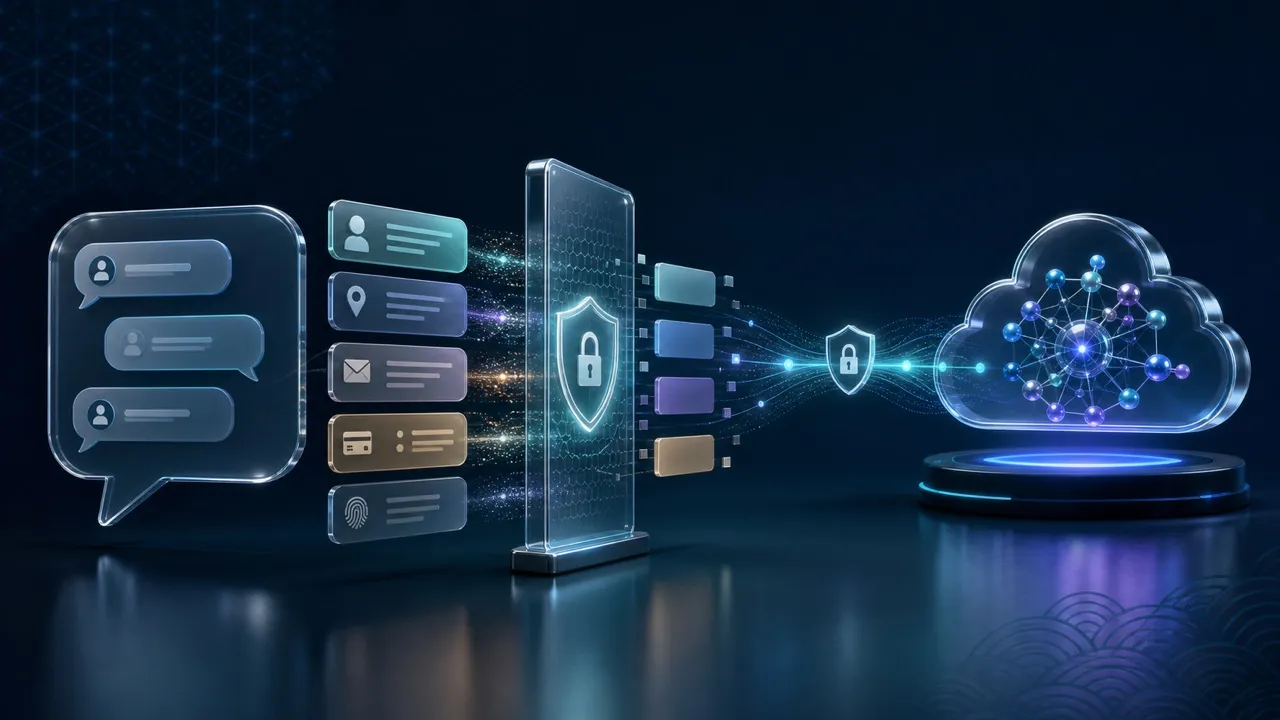
Using an AI tool on public Wi-Fi can be reasonably safe when you reach the genuine service over HTTPS on an updated device. A VPN adds privacy for traffic routed through its encrypted tunnel, but it cannot hide your prompt from the AI provider. The decision depends on both the connection and the information you are about to submit.
Can someone on the hotspot read my prompt?
With correctly validated HTTPS, ordinary observers on the local network cannot simply read the prompt or response passing between your browser and the AI service. That protection already exists before you add a VPN. The FTC’s public Wi-Fi guidance explains how widespread website encryption has improved hotspot safety.
Some connection information can still be visible, depending on how DNS and other network features are configured. Encryption also says nothing about whether the destination is trustworthy: a fake chatbot can use HTTPS while collecting everything you type. Check the actual domain, and never bypass a certificate warning to finish a conversation.
This distinction changes the practical response. You do not need to abandon a harmless question merely because the network is shared. You do need to stop when a login page changes unexpectedly, an unfamiliar extension requests access, or the browser reports that the secure connection cannot be verified.
Get past the Wi-Fi login before opening the chatbot
Confirm the exact network name with venue staff or a trustworthy notice. Complete a legitimate hotspot login page before connecting your VPN, then open the AI service from a saved bookmark or its official app. A venue code or acceptance of network terms is different from handing the hotspot your Google, work-email, or AI-account password. Use the public Wi-Fi safety checklist for the wider connection checks.
If the portal asks you to install a certificate or configuration profile, or offers an unexplained download, switch to your own mobile connection. The Wi-Fi login-page checks cover the portal itself; it is a separate gate from signing into an AI account.
When working under an employer’s device or access policy, follow that policy first. A personal VPN should not replace required company access software, and stacking VPN clients without guidance can disrupt connectivity.
Choose the account and input before pressing Send
Drafting a public event description is different from uploading a customer spreadsheet. For a freelancer in Manila or Ho Chi Minh City, the urgent risk may be sending a client’s private information through a personal AI account while trying to answer quickly between calls.
Check which account is active, whether the client permits the tool, and what data the approved environment accepts. Remove names, identifiers, credentials, and unnecessary attachments. A fictional example or a small redacted excerpt often gives the model enough context without transferring the original file.
Provider controls are separate from network protection. For example, Google’s Gemini privacy notice covers submitted prompts, uploads, and connected-app information. Work or school accounts may have different terms. Check the current policy for your exact account rather than assuming that a paid account, temporary conversation, or history setting guarantees confidentiality. For the broader data lifecycle, see where AI chatbot conversations go.
What changes when a VPN is connected?
A VPN encrypts the traffic it carries between your device and the VPN server. This reduces the local network’s view of that traffic and ordinarily makes the destination see the VPN server’s public IP instead of your connection’s public IP. You are also placing trust in the VPN operator; HTTPS remains necessary beyond the tunnel.
The AI service still receives the prompt, uploaded file, and information attached to your signed-in account. A VPN cannot remove permissions you granted to a connected app or make a forbidden work upload acceptable. Mobile data likewise changes the network route, not the recipient of the data.
After the device sleeps or changes networks, check that the VPN is still connected before resuming sensitive activity. If the connection is unstable, save a sanitized draft locally and wait. Do not solve a connection problem by disabling browser security checks.
Voice, photos, and screen sharing can disclose more than text
An AI voice conversation in a station lounge may capture or reveal names spoken nearby. A photograph can include a boarding pass, a badge, or another person’s screen. Screen sharing may expose notifications and unrelated tabs even when the visible document has been redacted.
Use typed, minimal excerpts when the room is busy. Crop images before uploading, close unrelated windows, and avoid live audio or video around private conversations. Obtain permission before including someone else’s information, and keep the display away from the queue or neighboring seats. The room can expose information even when every network packet is encrypted.
A task-based decision at the seat
- Continue with checks: public research, a fictional example, or wording for a nonconfidential message, using the verified service and HTTPS.
- Reduce the input first: work drafting that can be done with approved tools and a redacted excerpt. Confirm the account and permission before uploading anything.
- Move or postpone: credentials, identity documents, confidential client files, an unverified portal, certificate warnings, or a task that needs privacy the room cannot provide.
When you leave, review the answer before sharing it, check for accidental public conversation links, lock your device, and disconnect from the hotspot. Secure transport, a suitable account, and a limited prompt work together; none of them alone makes every AI task appropriate for a public place.